Thursday, March 31, 2016

Overlay Screen on Visualforce Page without any CSS or Plugin

Hi All,

My todays post is related to the standard solution for Overlay Screen, I have suffered a lot whenever I got some implementation for the Overlay screen because I did that with CSS and so many things to remember and apply in this. Recently I have found a standard solution for the Overlay screen , which is not required to apply any CSS and no headache to apply the validation and Error message from Apex; we could do that through simple javascript functions.

Take an Example: Here I have a button, which will trigger a javascript function to display the popup screen.


Onclick of the button, we will get a overlay screen like the given snapshot.


We could bind the inputtext or inputfields as well in case we need to accept some picklist or lookup values etc.  Onchange of the textboxes we could validate the value and assign in a javascript variable. Onclick of Ok button it will call a javascript function which will validate the values and call actionfunction to perform the logic in apex controller. Onclick of cancel it will simply close the overlay screen. The performance is better and faster in comparison to custom overlay screen.

When you will press ok, you could see a message for success of the logic like in the image given below.


Check the code below:
Visualforce Page:


Apex Controller:


Hope this will be helpful for you.  Happy Coding J

Feel free to contact if you have anything in which I could help you.

Thanks,
Amit Goyal
Skype: amitgoyal09

Friday, March 18, 2016

ActionFunction is not calling the actionmethod on Visualforce Page: Issue, Approach and Solution

Hi All,

Recently I faced an issue at the time of developing a dynamic and advanced visualforce page with a custom template and standardstylesheets=”false”. By the way these parameters were not related to the issue but I am just mentioning my implementation in consideration.

The Scenario is, I am having a command button or html button, onclick of that I am calling a js function and from that js function I am doing something on the visualforce page like setting value of some DOM Component and styling etc… After that I am calling my actionfunction to call an Action Method which is connected to a function in my Apex Controller.

Code Example:

actionstatus id="status1" startText="Processing..." 

actionFunction name="saveRecord" status="status1" action="{!SaveRecord}" reRender="errMsg" 

HTML Button tag with type="button" and onclick="saveRecord (); return false;"
OR commandButton onclick=" saveRecord (); return false;

The Issues is, onclick of the button my js function is getting called, from that js function my actionfunction is getting called instead of that reloading the page. I solved the reloading by putting return false on my button at the time of calling the javascript function. I could see the status in my UI but that actionfunction still not calling the actionmethod. I am able to see the console logs before calling the actionfunction and after calling the actionfunction with no js error. I am able to see the actionstatus but there is no entry in the debug log for my save method call. I tried by replacing the apex function by thinking may be some error in apex function which is doing something wrong but nothing worked.

Strange was I haven’t found specific solution for this issue in my search anywhere so I applied the following approach to find the cause of issue.

Approach to find the cause: I removed all my visualforce code and placed one section by another and found that in a Selectlist I directly reference a lookup field in value parameter, when I was placing that portion, my button is not working.

Solution: I removed that direct reference and used a string parameter instead. Onchange of that selectlist I populated the value of the string to the lookup field and my button starts working, means the actionfunction is calling the action method now.

Suggestion: Directly referencing the lookup field or Id on the visualforce page could cause unexpected behavior in your functionality sometime not all the time so try avoiding that.

Thanks,
Amit Goyal
Email: amitgoyal09@gmail.com
Skype: amitgoyal09

Friday, March 4, 2016

Adding Picklist values conditionally on the Visualforce page

Hi All,

Thanks for appreciating my previous blog posts and sorry for the delay for in my new blogpost.

Today I am sharing with you, how can we add some picklist value on the visualforce page conditionally.
Scenario, Like if you have some requirement in which you don’t want to accept new record with some status or picklist value but you want to display that for existing records. You can’t consider inputField in that case as well. So the simple, easier and solution with less effort is:

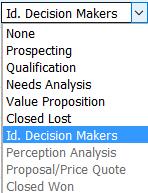
Create a list in your Apex Controller and display on your Visualforce page with apex:selectlist and apex:selectoptions, so that all required field will be there and add the additional value by using apex:SelectOption with itemDisabled property by define the condition.


One more thing, I wanna share and ask, we have a rendered attribute for the apex:SelectionOption but I were not getting that property functional in my practice, so if anyone knows something about the reason, please share with me.

I will get back to you with my next post soon. Happy Coding J

Feel free to contact if you have anything in which I could help you.

Thanks,
Amit Goyal
Skype: amitgoyal09
Saturday, January 23, 2016

Polling System - Component Using Lightning Design System and Challenges with RemoteObjects


Hi All,

My today’s post is related to Polling System - Component, I made this polling system component using Lightning Design System so that we could display multiple polls together on a single page based on our design like vertically or horizontally or as this is a component we could use it on multiple pages by using the same component [As you all must know the use of Visualforce Component].

Challenges with RemoteObjects:

While developing this component, I face some challenges which I want to share with you all, like as I have just started using RemoteObjects in this month so it’s a new experience and fun for me. I tried to use RemoteObjects in Components but I was not able to do that as we could use that only in the page.

So I built the component by using Apex and tried to use the RemoteObjects on the page to the get the list of polls and pass the ids [User-Id, Poll-Id and Serial-Number or you should say Record-Number to manage the unique DOM element ids] to the component through that list in the RemoteObjects callback but that is also possible.


Reason: The reason is RemoteObjects are page centric so anyhow we could not use the RemoteObjects with the Visualforce Components; it was my finding for this week. Let me know if I am wrong somewhere, I will be more than happy if you rectify my mistake if I am making any.

Let’s come back to polling component which I made:

I have built the 4Options and 2Options polling for my Demo, if you have any more or less options requirement than you could modify the implementation based on that as well. Here is screenshot of the Polling-Page on which I have used the Polling-Component.


You could use this component with content at any place in section or could display the multiple polls on a single page vertically or horizontally, that is all based on your design like Grid or Table whatever you need to apply.

After selecting the option, you will need to click on the Submit button to poll. After submitting the Poll with display the result the result like in the following screen:


I am planning some more changes to display the results in more meaningful and efficient way, let me know if you have some idea on this.

If you are having some requirement or planning to try this or need help to know the technique or guidance, feel free to put your suggestions/comments/ask questions or connect with me.

Happy Coding J

Thanks,
Amit Goyal
Email: amitgoyal09@gmail.com
Skype: amitgoyal09

Wednesday, January 20, 2016

Public Site - New Design with Lightning Design System and Related Stuff


Hi All,

Today I am sharing a lot of work I did so far, it’s Salesforce Public Site which I have built by using a combination of Lightning Design System and AngularJS, Remote Objects, Visualforce and Apex Controller.

Like I shared my Web-To-Lead Form, [which I built by using Lightning Design System and AngularJS, Remote Objects on Visualforce Page] with you in my last post. This is an enhanced for that. I am using that Web-To-Lead Form on this Public Site as Enquiry-Form Menu in the Top Right Section.

I have connected my old public site [Visualforce page and Apex], new public site with Lightning Design System and My Blog with each other so that you could navigate to check the Demo and my work.

Here is a screenshot of my blog and the navigation:


Live Demo: Blog 

Here is the screenshot of my public site – New Design with navigation and menus:


I have given a functionality to post comment through this site, so you could put your comments, after commenting on this you will get a email if comment successfully submitted without errors, it any error than you could see that message on the page. Please comment, what you think about the pages and your views on this so I could add the functionality whatever you need to see.

I could help you with that if you need any specific functionality or guidance regarding that. If you will click on the comment button, you will see a section for comment as in the following screen: 


Here is the screenshot of my public site – Old Design with menus:


Live Demo: Public Site - Old Design

All three screens are linked with each other so you could test the design, flow and functionality. Let me know your thoughts on this or how could I improve as per your views.

In the next step to the Public Site – New Design, I will share with you the courses which I could offer with my Online Training's and the Demos and Applications which I have built and whatever I could share with you. 

Happy Coding :)


Regards,
Amit Goyal
Email: amitgoyal09@gmail.com

Skype: amitgoyal09


Friday, January 15, 2016

WebToLead Form by using Lightning Design System, RemoteObjects and AngularJS on Visualforce Page

Hi All,

I have built a form by using AngularJS and Remote Objects with Lightning Design System, It was really a fun to develop this functionality. We have two options while working with Lightning Design System as per my present knowledge.

1.)  We could apply classes to our Visualforce DOM Elements from the Lightning Design System CSS to avoid plenty of work and changes.
2.)  We could use Remote-Objects to connect our page with the Objects and Applying JS Validation on the data and fire DML actions.

In the second option we could have some challenges and bit time consuming for fresher’s like me for this page but as this is for the study, it’s pretty much interesting to work with AngularJS and Remote Objects with Lightning Design System.

Below is the screenshots of the form which I have built.

I have created a header, footer as Visualforce component to display on my Web-To-Lead page.

You could check the live Functionality on the link given below:


Let me know if you need any guidance on this. I will keep posting new and interesting things like this. Hope you will like it. Happy Coding J

Regards,
Amit Goyal
Email: amitgoyal09@gmail.com
Skype: amitgoyal09

Tuesday, January 12, 2016

Lightning Application and Components: ManageContacts


Hi All,

As I promised in my last post, I have chosen my topic on Lightning Components with Lightning Design System. I build a Lightning Application by using several lightning components for Managing Contacts.

I am using Lighting Design System package in my component for design:

ContactListProcess.cmp: On this I have displayed a button “New Contact”, and a List of Contacts with some actions for Edit and Delete contacts. For Displaying the contacts in the list, I am using ContactProcess.cmp like we have ExpenseTracker app in the “Lightning Components Developer’s Guide”.


On Click of this “New Contact” button I am rendering a Form to create a new contact with Submit and Cancel buttons. On click of submit button it will create a contact and will add in the Contact list below and on click of Cancel button it will hide the form again. I am using the inputLookup component on this form to provide the Lookup functionality. The source and reason is specified below in my post.


After filling up the form, I have saved the record and got in my contact list.


On click of edit button, the application will display the form which we are displaying on click of “New Button” and populate all the values from the selected record to the above form. So that we could make changes and save the contact.


On Click of delete, we are simply deleting the record from the list and from the database.

Here is a list of resources for that application:
Resources
Description
ManageContacts Bundle

ManageContactsLightning.app
The top-level component that contains all other components
ContactListProcess Bundle

ContactListProcess.cmp
A collection of Lightning input components to collect user input and To Display a List of Contacts
ContactListProcessController.js
A client-side controller containing actions to handle user interactions on the ContactListProcess
ContactListProcessHelper.js
A client-side helper functions called by the controller actions
ContactListProcessRenderer.js
To Render the changes on Click of the New Contact Button like for display/hide the input form
ContactProcess Bundle

ContactProcess.cmp
A collection of Lightning output components to display data from contact records and related actions
ContactProcessController.js
A client-side controller containing actions to handle user interactions on the display of the contact list
Apex Class

NewContactController. apxc
Apex controller that loads data, inserts, or updates an contact record
Event

NewContactEvent.evt
The event fired when an contact item is edited from the display of the contact list
ContactDeleteEvent.evt
The event fired when an contact item is deleted from the display of the contact list
Other Resources

inputLookup Component
As with Lightning in Winter-16, we don’t have the inputLookup component yet, so I found a resource online by Enrico Murru, which I have applied. It’s again a bundle of resources and will require some customization in its code like changes in the controller and some extra events based on your functionality. Thanks Enrico Murru for this nice component.

If you wish to try your hands, I have given the required list of resources above and for inputLookup component; you could get it from the link below:


Hope this will be helpful for you. If you need any guidance, you could contact me anytime. I will be happy to help.

It will be little Trichy to listen the events and getting parameters from that events but the ExpenseTracker application could help you to get the functional tips.

My Next post will be on Lightning Design System / Lightning Connect / Lightning Experience / Lightning Components or a mix of these topics with Visualforce.
I will try to post something related to the certifications which are recently introduces by salesforce as many of you asked me in last some days. 

Thanks for the nice response on my posts. Let me know if you need to hear on something specific. I will try to prioritize that topic.

For Code or any help, feel free to contact me. Keep trying your hands on Salesforce updates and Lightning. Happy coding J

Regards,
Amit Goyal
Skype: amitgoyal09