Wednesday, January 20, 2016

Public Site - New Design with Lightning Design System and Related Stuff


Hi All,

Today I am sharing a lot of work I did so far, it’s Salesforce Public Site which I have built by using a combination of Lightning Design System and AngularJS, Remote Objects, Visualforce and Apex Controller.

Like I shared my Web-To-Lead Form, [which I built by using Lightning Design System and AngularJS, Remote Objects on Visualforce Page] with you in my last post. This is an enhanced for that. I am using that Web-To-Lead Form on this Public Site as Enquiry-Form Menu in the Top Right Section.

I have connected my old public site [Visualforce page and Apex], new public site with Lightning Design System and My Blog with each other so that you could navigate to check the Demo and my work.

Here is a screenshot of my blog and the navigation:


Live Demo: Blog 

Here is the screenshot of my public site – New Design with navigation and menus:


I have given a functionality to post comment through this site, so you could put your comments, after commenting on this you will get a email if comment successfully submitted without errors, it any error than you could see that message on the page. Please comment, what you think about the pages and your views on this so I could add the functionality whatever you need to see.

I could help you with that if you need any specific functionality or guidance regarding that. If you will click on the comment button, you will see a section for comment as in the following screen: 


Here is the screenshot of my public site – Old Design with menus:


Live Demo: Public Site - Old Design

All three screens are linked with each other so you could test the design, flow and functionality. Let me know your thoughts on this or how could I improve as per your views.

In the next step to the Public Site – New Design, I will share with you the courses which I could offer with my Online Training's and the Demos and Applications which I have built and whatever I could share with you. 

Happy Coding :)


Regards,
Amit Goyal
Email: amitgoyal09@gmail.com

Skype: amitgoyal09


Friday, January 15, 2016

WebToLead Form by using Lightning Design System, RemoteObjects and AngularJS on Visualforce Page

Hi All,

I have built a form by using AngularJS and Remote Objects with Lightning Design System, It was really a fun to develop this functionality. We have two options while working with Lightning Design System as per my present knowledge.

1.)  We could apply classes to our Visualforce DOM Elements from the Lightning Design System CSS to avoid plenty of work and changes.
2.)  We could use Remote-Objects to connect our page with the Objects and Applying JS Validation on the data and fire DML actions.

In the second option we could have some challenges and bit time consuming for fresher’s like me for this page but as this is for the study, it’s pretty much interesting to work with AngularJS and Remote Objects with Lightning Design System.

Below is the screenshots of the form which I have built.

I have created a header, footer as Visualforce component to display on my Web-To-Lead page.

You could check the live Functionality on the link given below:


Let me know if you need any guidance on this. I will keep posting new and interesting things like this. Hope you will like it. Happy Coding J

Regards,
Amit Goyal
Email: amitgoyal09@gmail.com
Skype: amitgoyal09

Tuesday, January 12, 2016

Lightning Application and Components: ManageContacts


Hi All,

As I promised in my last post, I have chosen my topic on Lightning Components with Lightning Design System. I build a Lightning Application by using several lightning components for Managing Contacts.

I am using Lighting Design System package in my component for design:

ContactListProcess.cmp: On this I have displayed a button “New Contact”, and a List of Contacts with some actions for Edit and Delete contacts. For Displaying the contacts in the list, I am using ContactProcess.cmp like we have ExpenseTracker app in the “Lightning Components Developer’s Guide”.


On Click of this “New Contact” button I am rendering a Form to create a new contact with Submit and Cancel buttons. On click of submit button it will create a contact and will add in the Contact list below and on click of Cancel button it will hide the form again. I am using the inputLookup component on this form to provide the Lookup functionality. The source and reason is specified below in my post.


After filling up the form, I have saved the record and got in my contact list.


On click of edit button, the application will display the form which we are displaying on click of “New Button” and populate all the values from the selected record to the above form. So that we could make changes and save the contact.


On Click of delete, we are simply deleting the record from the list and from the database.

Here is a list of resources for that application:
Resources
Description
ManageContacts Bundle

ManageContactsLightning.app
The top-level component that contains all other components
ContactListProcess Bundle

ContactListProcess.cmp
A collection of Lightning input components to collect user input and To Display a List of Contacts
ContactListProcessController.js
A client-side controller containing actions to handle user interactions on the ContactListProcess
ContactListProcessHelper.js
A client-side helper functions called by the controller actions
ContactListProcessRenderer.js
To Render the changes on Click of the New Contact Button like for display/hide the input form
ContactProcess Bundle

ContactProcess.cmp
A collection of Lightning output components to display data from contact records and related actions
ContactProcessController.js
A client-side controller containing actions to handle user interactions on the display of the contact list
Apex Class

NewContactController. apxc
Apex controller that loads data, inserts, or updates an contact record
Event

NewContactEvent.evt
The event fired when an contact item is edited from the display of the contact list
ContactDeleteEvent.evt
The event fired when an contact item is deleted from the display of the contact list
Other Resources

inputLookup Component
As with Lightning in Winter-16, we don’t have the inputLookup component yet, so I found a resource online by Enrico Murru, which I have applied. It’s again a bundle of resources and will require some customization in its code like changes in the controller and some extra events based on your functionality. Thanks Enrico Murru for this nice component.

If you wish to try your hands, I have given the required list of resources above and for inputLookup component; you could get it from the link below:


Hope this will be helpful for you. If you need any guidance, you could contact me anytime. I will be happy to help.

It will be little Trichy to listen the events and getting parameters from that events but the ExpenseTracker application could help you to get the functional tips.

My Next post will be on Lightning Design System / Lightning Connect / Lightning Experience / Lightning Components or a mix of these topics with Visualforce.
I will try to post something related to the certifications which are recently introduces by salesforce as many of you asked me in last some days. 

Thanks for the nice response on my posts. Let me know if you need to hear on something specific. I will try to prioritize that topic.

For Code or any help, feel free to contact me. Keep trying your hands on Salesforce updates and Lightning. Happy coding J

Regards,
Amit Goyal
Skype: amitgoyal09

Tuesday, January 5, 2016

Understanding Salesforce Classic, Lightning Experience, Lightning Component, Lightning Connect and Lightning Design System

Hi All,

First of all, A very Happy New Year 2016 to All of you, may god fulfill all your wishes which could will bring happiness for you, your family and near & dear ones and for the society and community.

Thanks for responding for my last post regarding the “SalesForce Development / SFDC Online Trainings [Lightning / Platform Developer / Admin / Developer / Advance Developer]”.

I received few questions regarding the difference between all of this and mainly as a beginner on Lightning, many of them were for the difference between the Lightning Experience, Lightning Component, Lightning Connect and Lighting Design System.

Salesforce Classic: It's the platform which we are using from long time as standard, Salesforce just named to classify between the new User Interface/Experience and old User Interface/Experience.

Lightning Experience: Lightning Experience is the new, slick user interface for the desktop browser UI. The initial release of the new user interface is geared towards sales reps with an intuitive interface that allows sales reps to work more efficiently.
The dashboard and charts in Lightning Experience behave much like Wave where changes in the chart recalculates in real time. While the new interface is easy to enable, It may not be suited for everyone as there are some missing functionalities at this point of time. In the future releases salesforce would eliminate those gaps, but keep safe harbor statement in mind.

The Initial release with Winter-16, is mainly focused for Sales Reps and with some extra features based on Opportunity like Opportunity Board. With Spring-16 [Safe harbor] we could get some exciting feature for Case Objects [Service Related] and Opportunity Board will be called “Opportunity Kanban”. For More Information refer to “salesforce_spring16_release_notes”.

For Enabling Lightning Experience, go to your developer edition and Setup, In the Top Left side menu, there will be an option called “Lightning Experience”. You will need to activate some settings/features as per the Pre-Requisite.


For using the Lightning Experience you could access by following - The Pre-Requisite and followed by enabling  Lightning Experience using the newly provided Cool Spinner/Switcher action.

After enabling it, you will get a cool switcher by which you can switch anytime between the Salesforce Classic and Lightning Experience.

Switcher from Salesforce Classic

Warning Message for Switching to Lighting Experience

 Switcher from Lightning Experience


Warning Message for Switching to Salesforce Classic

If you need to use Lightning Apps or Lightning Component or Lightning Component Tabs then you will have to register a domain in salesforce from My Domain in Domain Management option from setup. I will try to cover those tipic in more detail in my next post or you could also contact me for guidance on this or if you would like to try your hands on trailhead. The trailhead link is mentioned below.


Note: We could not use one/one.app for using salesforce1 because it will display the Lightning Experience Interface only if the Lightning Experience is enabled for the user/org from Winter-16 otherwise it will display the Run-Time Exception.

In short, Salesforce Classic the Standard User Interface which we are using from long time and Lightning Experience is the new User Interface which have the same Styling and Experience which we have for mobiles with extended functionality to improve performance and usability.

Lighting Component: We could take a simple example like we could build a Visualforce component in standard way and display on multiple pages. We could build Lightning Component and we could use them as in Standalone Lightning App, Lighting Component Tab which we could use in SalesForce1 Navigations and as a tab in Lightning Experience in some Custom Application or in Salesforce1 and Objects Actions etc… For more information you could refer the following modules in salesforce trailhead:

Lightning Component

Lighting Connect: We could use this to connect salesforce with any external application by using external object and releationship. For more information you could refer the following modules in salesforce trailhead:

Lightning Connect

Lightning Design System: This is a collection of CSS framework, Icons, Fonts, and Design Tokens, which could be used in Visualforce Page development to match the UI with the Lighting Experience while developing a visualforce page for an application.

Lightning Design System

I will try to plan my next post about the Lightning Component, Lightning Connect and Lightning Design System in more detail, stay in touch to help each other.

I really like all the Lightning Features which we have got with the Winter-16 release and will get more in future. Keep sharing the knowledge and keep loving salesforce as I do. Feel free to contact me anytime if you have anything in which I could help you.

Thanks,
Amit Goyal
Skype: amitgoyal09

Thursday, December 31, 2015

SalesForce Development / SFDC Online Trainings [Lightning / Platform Developer / Admin / Developer / Advance Developer]

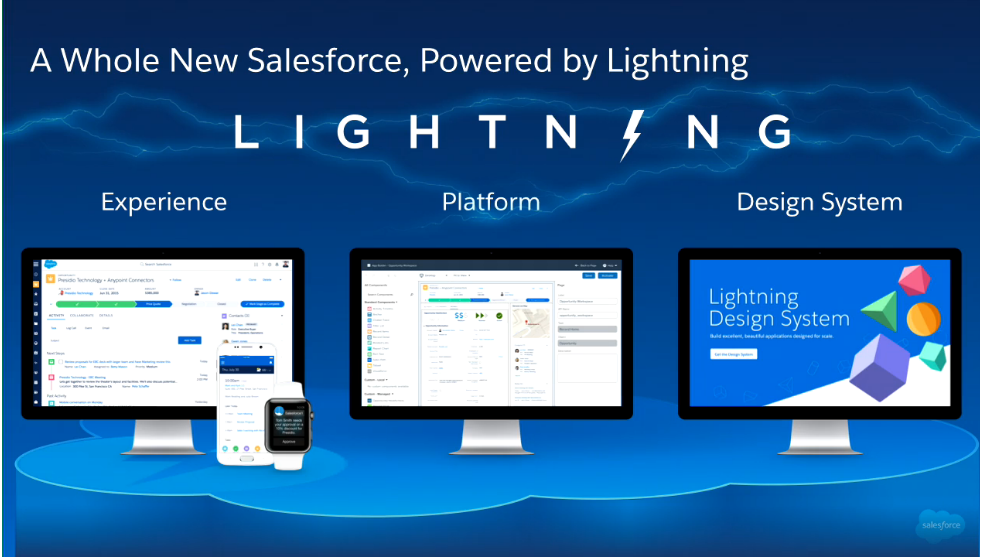
Salesforce Lightning Image

Hi All,

If anyone is looking for some professional to work on some project related to Salesforce1 / Lightning Component / Lightning Experience / App Builder than I could help you in that, also I am introducing new courses for the online training. Let me know if anyone interested.

New Courses:
1.) Platform Developer-I
2.) SalesForce1
3.) SalesForce App Builder
4.) Lighning Experience
5.) Development for Lightning Experience
6.) Lightning Component & Development
7.) Lightning Design System
8.) Lightning Connect

Regular Courses:
1.) SalesForce Administrator
2.) SalesForce Developer
3.) SalesForce Advance Developer
4.) Sales Cloud
5.) Service Cloud

You could contact me  by follwoing ways:
Email: amitgoyal09@gmail.com
Skype: amitgoyal09
Mobile: +919899804929, +919509860791

Thanks,
Amit Goyal

Monday, July 27, 2015

SalesForce Release Updates in 15 for Administrators & Developers

Hi Friends,

Today I am sharing some of the main SalesForce Release Updates in 15 for Administrators & Developers:

Administrative Changes:
---------------------------------

1.) Number of Custom Profiles Allowed:
To ensure better performance, your organization can have up to 1,500 custom profiles per user license type. If your organization has
too many custom profiles, consider using permission sets to grant additional permissions and access settings to the users who need
them.

2.) End of Support for JavaScript, iFrames, CSS, and Other Advanced Markup in HTML Area Home Page Components:
We are now enforcing the ban on unsupported code in HTML Area home page components. JavaScript, CSS, iframes, and other
unsupported markup is now removed when you edit and save an HTML Area home page component. A cleaned version is saved,
and all unsupported content is lost.

3.) Administrators Can Log in as Any User

4.) There are many changes in Process Builder like Reference System-Provided Values, After you deactivate a process, you no longer have to wait 12 hours before you delete it and improved the Process Builder user interface so it’s easier to manage versions, find and reference fields, create Chatter messages and more.

5.) There are many changes in Visual WorkFlow like Verify Picklist Values in a Flow, Verify Multi-Select Picklist Values in a Flow, After you deactivate a process, you no longer have to wait 12 hours before you delete it, Reference Global Variables in a Flow.

6.) Access Data Across Multiple Organizations with the Lightning Connect Salesforce Connector

Developer Console Changes:
--------------------------------------

1.) Work with Lightning Resources in the Developer Console: To create Lightning resources, you must use a Developer Edition organization that has a namespace prefix.

Visualforce Changes:
-----------------------------

1.) Add Data Access to Your Visualforce Pages with Remote Objects (Generally Available)


-  in: in, used for finding a value that matches any of a set of fixed values. Provide values as an array, for example, ['Benioff', 'Jobs', 'Gates'].

- nin: not in, used for finding a value that matches none of a set of fixed values. Provide values as an array, for example, ['Benioff', 'Jobs', 'Gates'].

- Here’s a query definition that searches for records that match any of several last names.

{
where:
{
LastName: { in: ['Benioff', 'Jobs', 'Gates'] }
}
}

2.) Customize Visualforce Maps with Custom Markers

icon="{! URLFOR($Resource.MapMarkers, 'moderntower.png') }" />

3.) Enrich Visualforce Maps with Info Windows:

4.) Accessibility: “*” Annotation in Labels for Required Fields Restored

5.) PageReference getContent() and getContentAsPDF() Methods Behave as Callouts

Apex Code Changes:
----------------------------

1.) Submit and Monitor Jobs for Asynchronous Execution with the Queueable Interface:

Getting an ID for your job: When you submit your job by invoking the System.enqueueJob method, the method returns the ID of the new job. This ID corresponds to the ID of the AsyncApexJob record. You can use this ID to identify your job and monitor its progress, either through the Salesforce user interface in the Apex Jobs page, or programmatically by querying your record from AsyncApexJob.

Chaining jobs: You can chain one job to another by starting a second job from a running job. Chaining jobs is useful if you need to do some processing that depends on another process to have run first.

Example
This example is an implementation of the Queueable interface. The execute method in this example inserts a new account.

public class AsyncExecutionExample implements Queueable {
public void execute(QueueableContext context) {
Account a = new Account(Name='Acme',Phone='(415) 555-1212');
insert a;
}
}

To add this class as a job on the queue, call this method:
ID jobID = System.enqueueJob(new AsyncExecutionExample());

AsyncApexJob jobInfo = [SELECT Status,NumberOfErrors FROM AsyncApexJob WHERE Id=:jobID];

Testing Queueable Jobs:

@isTest
public class AsyncExecutionExampleTest {
static testmethod void test1() {
// startTest/stopTest block to force async processes
// to run in the test.
Test.startTest();
System.enqueueJob(new AsyncExecutionExample());
Test.stopTest();
// Validate that the job has run
// by verifying that the record was created.
// This query returns only the account created in test context by the
// Queueable class method.
Account acct = [SELECT Name,Phone FROM Account WHERE Name='Acme' LIMIT 1];
System.assertNotEquals(null, acct);
System.assertEquals('(415) 555-1212', acct.Phone);
}
}

Note: The ID of a queueable Apex job isn’t returned in test context—System.enqueueJob returns null in a running test.

Chaining Jobs:

public class AsyncExecutionExample implements Queueable {
public void execute(QueueableContext context) {
// Your processing logic here
// Chain this job to next job by submitting the next job
System.enqueueJob(new SecondJob());
}
}

Queueable Apex Limits:

• The execution of a queued job counts once against the shared limit for asynchronous Apex method executions.
• You can add up to 50 jobs to the queue with System.enqueueJob in a single transaction.
• The maximum stack depth for chained jobs is two, which means that you can link a job only once and have a maximum of two jobs in the chain.
• When chaining jobs, you can add only one job from an executing job with System.enqueueJob.

Run More Future Methods and Callouts:

- The execution limits of future methods and callouts in an Apex transaction have increased to 50 methods and 100 callouts respectively. These limit increases enable you to do more with Apex without having to be restricted by the previous limits. For example, you might have transferred much of your long-running code to future methods that you call and run asynchronously from your main class. If you did many of these future calls in your class, you might have hit the limit of 10 future calls in one transaction. With the increased limit of 50 calls, you can make many more future calls without likely hitting this limit.

The following limits have increased.
Maximum number of methods with the future annotation allowed per Apex invocation changed From 10 To 50

Maximum number of callouts (HTTP requests or Web services calls) in a transaction changed From 10 To 100

Run More Tests in Sandbox and Developer Organizations:

The test execution limit for asynchronous tests has increased and you can now run twice as many tests in large sandbox or Developer Edition organizations.
For sandbox and Developer Edition organizations, the following test execution limit for asynchronous tests has increased.

Maximum number of test classes that can be queued per 24-hour period is changed to the greater of 500 or 20 multiplied by the number of test classes in the organization

There are some changes in Apex Trigger and Apex Support for some standard objects
There are some updates in some Methods and Properties and Added New Classes and Methods too

Refer Page: 257 in "SalesForce Winter-15 Release Notes" PDF for the Trigger and Apex Support for New Object & List of Added Classes and Methods and Updates

In Summer-15 Release Notes: Apex Changes:
1.) New Code Coverage Calculation for Multiline Statements
2.) Iteration Order for Maps and Sets Is Now Predictable
3.) Receive Debug Logs Predictably
4.) Location and Distance Variables Allowed in SOQL and SOSL Queries in Apex
5.) Reduced Access for Apex Classes Using with sharing Keyword
6.) See Apex Method Parameters at a Glance

Lightning Changes:
--------------------------

Force.com Canvas Apps Don’t Work in Salesforce1 if Lightning Components are Enabled
You can’t use Force.com Canvas apps in Salesforce1 if you enable Lightning components. Any Force.com Canvas apps in your organization will no longer work in Salesforce1 if you enable Lightning components.

Limited Set of Out-of-the-Box Components: The beta includes a very limited set of components.
Namespace Prefix Required: Your organization must have a namespace prefix required to develop Lightning components.

Open Source Aura Framework

The Lightning Component framework is built on the open source Aura framework. Aura is open sourced at https://github.com/forcedotcom/aura. You can build general-purpose Web apps hosted on your own server. Your apps can be completely independent of Salesforce and your data in Salesforce.

Note that the open source Aura framework has features and components that are not currently available in the Lightning Component framework. We are working to surface more of these features and components for Salesforce developers.

Person Accounts Are Now Packagable in managed and unmanaged packages.

1.) Standalone Lightning Apps (Generally Available)
2.) Some Changes in Lightning Components and Events, you could refer for the list to "SalesForce Summer-15 Release Notes" PDF

Thanks,

Amit Goyal

Friday, July 24, 2015

Automatically Submit Multiple Records to Approval through Apex

Hi Friends,

Today I am sharing one code snippet with you to automatically submit multiple records to approval process through apex.

Firstly you need to setup the approval process on which object you want to submit the records for Approval.

Than through your Apex Controller or Trigger you could process the records and send that for Approval.

//Create a List of Approval.ProcessSubmitRequest
List requests = new List();

// Process your List on which you need to send the records for Approval, It could be direct list or you could process the list from you inner query or whatever list you want to process, In my example I have used the list of Opportunity from a trigger:

for(Opportunity opp: Trigger.New){
// Create a instance of Approval.ProcessSubmitRequest to add that to the list initialized above
Approval.ProcessSubmitRequest req = new Approval.ProcessSubmitRequest();

// Set the comment you want to add
req.setComments('Submitting request for approval');

// Set the object-id in the Approval.ProcessSubmitRequest instance
req.setObjectId(opp.Id);

//Add the instance to the list initialized above, before the for loop
requests.add(req);
}

// We need to capture the result of the approval, so initialize a list of Approval.ProcessResult
Approval.ProcessResult[] processResults = null;

// Apply Exception Handliing
try {
// The command Approval.process will submit all your record for Approval
processResults = Approval.process(requests);
}catch (System.DmlException e) {
System.debug('Exception Is ' + e.getMessage());
}

Point to Notice:
Sometimes our trigger doesn't submit our records for approval, so that time we need to check, whatever records we are submitting for Approval through our code, are they meeting the entry-level criteria successfully which we have defined in our approval process, so we have to apply the conditions and have to test it carefully.

You could ask me for any topic or any help if you need something specific, I will be happy to help you.

Thanks,

Amit Goyal